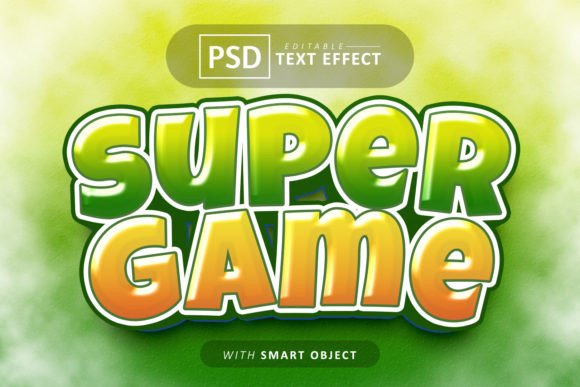
Super Game Text: Editable Font Effects for Dynamic Designs
There’s a moment in every design project where the typography needs to do more than just sit there. It needs to pop, grab attention, and convey a specific energy. You’ve likely spent hours searching for that perfect effect—that textured, bold, or stylized look that makes a headline feel alive. The challenge is finding something that looks custom-made but doesn’t require you to be a Photoshop expert. This is where a resource like the Super Game Text - Editable Font Effects steps in, offering a bridge between high-impact visual design and practical, everyday usability.
Beyond Static Text: How Smart Objects Change the Game
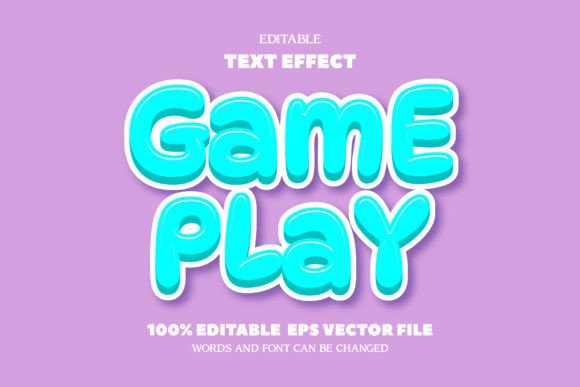
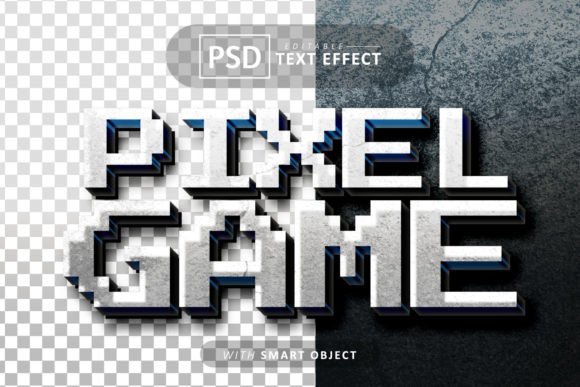
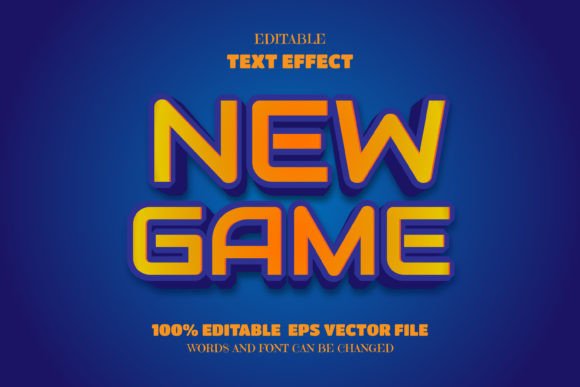
At its core, this resource is a PSD file built around smart objects. For the uninitiated, a smart object in design software like Adobe Photoshop is a container layer that preserves the original content—your text, in this case—allowing you to apply transformations and effects non-destructively. The magic here is that you double-click the smart object layer, type in your own words, save, and close. The pre-designed effect—be it a 3D extrusion, a neon glow, a gritty texture, or a metallic finish—automatically applies to your new text. It’s a massive time-saver. Instead of manually building complex layer styles, you get a polished, professional result in minutes. This isn’t just a font file; it’s a complete text effect system.
The visual appeal is immediate. These aren't flat, one-dimensional letters. They have depth, texture, and presence. Think about the bold, blocky lettering you see in video game logos, the vibrant, glowing text on a tech startup’s website, or the distressed, vintage-style type on a craft beer label. Achieving these looks traditionally requires a solid understanding of Photoshop’s blending options, gradients, and sometimes even 3D tools. This template packages that expertise into an editable format, making advanced typography accessible. The included commercial-use fonts are a critical detail, meaning you can use the final designs for client work, merchandise, or digital products without licensing headaches.
Practical Applications: Where This Typography Truly Shines
The versatility of a well-made text effect template is its greatest strength. Its use cases stretch far beyond a single project type, making it a valuable asset in a designer’s toolkit.
For Branding and Logo Design: A logo needs to be memorable. While a simple, clean typeface is often ideal for a primary logo, a stylized text effect can be perfect for a wordmark logo or a specific brand campaign. Imagine a gaming channel logo with a fiery, animated-style text effect, or a children’s brand using a playful, puffy 3D look. It instantly communicates the brand’s personality. The ability to swap the font means you can test how the effect interacts with different typefaces—maybe a bold sans serif for impact or a friendly rounded font for approachability.
Marketing and Social Media Graphics: On crowded social feeds, stopping the scroll is everything. A static, plain text post gets lost. A graphic with dynamic, textured typography for a sale announcement, a podcast title, or a motivational quote stands out. These effects are ideal for creating eye-catching Instagram Stories, YouTube thumbnails, Facebook ads, and Pinterest pins. The high-quality JPEG previews included allow you to quickly mock up ideas before diving into editing.
Packaging and Merchandise: Product packaging tells a story at a glance. A coffee bag with a rustic, stamped text effect, a supplement bottle with clean, futuristic typography, or a t-shirt design with a retro arcade-game style font all benefit from this kind of treatment. It adds perceived value and professionalism. Because the design is vector-based within the smart object, it scales beautifully, which is essential for printing on everything from small labels to large posters.
Digital Products and Editorial Layouts: For bloggers, course creators, and authors, consistent visual branding builds recognition. Using a distinctive text effect for chapter headings in an eBook, section titles in a digital workbook, or featured quotes on a blog creates a cohesive and professional look. It elevates the reader’s experience from simply consuming information to engaging with a designed piece of content.
Integrating Stylized Typography into Your Workflow
Adding a new design element to your process requires some thought. The first step is always to review all included files. Look at the different effect styles—there might be variations for light and dark backgrounds, or effects optimized for different moods. Don’t just pick the first one you see; choose the one that aligns with the project’s tone. A gritty, distressed effect suits a vintage poster but would feel out of place on a luxury skincare website.
Font pairing is where you can really customize the look. The template might come with a suggested font, but its editable nature is the key feature. Test different fonts from your library. A thick, blocky display font will interact with a bevel effect differently than a thin, elegant serif. The goal is harmony—the effect should enhance the letterforms, not fight them. Always check for readability. A highly decorative effect might look amazing on a poster headline viewed up close but could become illegible when used small on a website or a business card.
Consider the context of your entire design. The text effect is a star player, but it still needs to work with other elements—background textures, images, and other typefaces. Ensure the colors in the effect complement your overall palette. If the effect has a strong color (like a blue glow), you may need to adjust it to match your brand colors. The organized layers mentioned in the file description are a huge help here, allowing you to tweak colors, shadows, and highlights individually without breaking the effect.
Making a Smart Investment in Design Assets
For small business owners, marketers, and content creators, time is a precious commodity. The value of a resource like this isn’t just in the visual output but in the hours it saves. It’s a form of leverage. Instead of spending an afternoon trying to replicate a complex effect from a tutorial, you can achieve a better result in a fraction of the time, allowing you to focus on strategy, content, or other creative tasks.
When evaluating such assets, look beyond the initial preview. The promise of being “100% easily editable” should be backed by a well-organized file with clear labeling. The inclusion of commercial-use fonts is non-negotiable for professional work. A high-quality design asset is an investment that pays for itself across multiple projects, from a client’s social media campaign to your own branded merchandise. It’s about adding a reliable, high-impact tool to your creative arsenal that consistently delivers professional-grade typography, helping your projects communicate more effectively and stand out in a visually saturated world.